Jump at the speed of muscle memory.
Open Keymap, then press one key to jump to a window or app. Hold a key for a live preview. Press Space to move through active windows, running apps, and favorites.
Through October 31 · 90 discounted licenses
Press and release Control + Command to show or hide this demo. You can also click the keys above.
Try pressing F, S, or M
Every window. One glance.
Preview what is open, then jump straight to the window you need. PinchKey keeps your most recently used window close at hand.
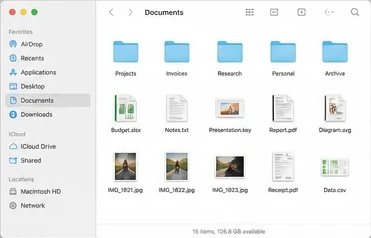

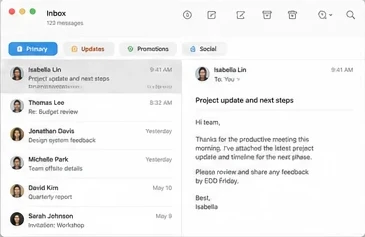



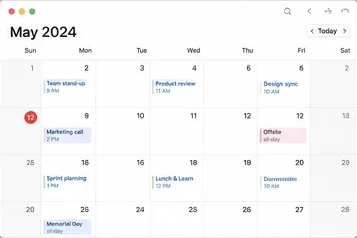







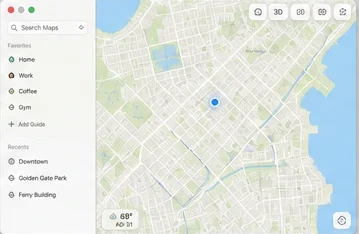

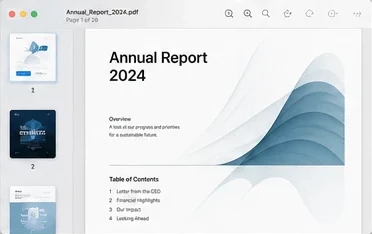
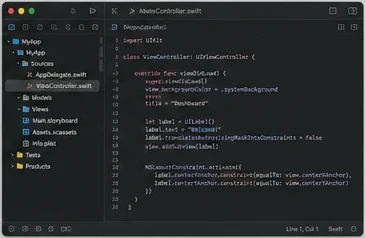

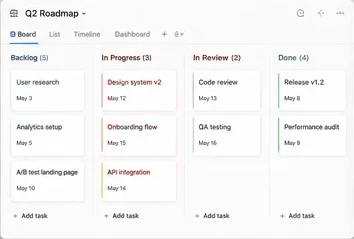

Every tab, one grid away.
Press Control–Option–Tab to see the tabs of the browser in front, or of every open browser at once. Tabs are grouped by window with live previews. Type to filter, click to switch, and right-click to close.
- Architecture and the Future
- Design
- Q2 Roadmap
- # general
- Search Maps
- Annual Report 2024
- Project update and next steps
Works with Safari, Chrome, Edge, Brave, and Vivaldi.
Move and resize windows from the keyboard.
Nudge the focused window around a 5 × 8 grid, send it to another display, or grow and shrink it. Everything stays on I, J, K, and L.
Move
Moves one grid cell at a time and keeps the window size.
Switch display
Sends the window to the neighboring display and keeps its size.
Resize
J and I shrink, L and K grow. At a screen edge, the window shifts inward.
Turn it on in Settings › Keyboard Controls. Requires Accessibility and Input Monitoring permissions.
Your music and Mac, at your fingertips.
Hold Control: I brightens, K dims, J lowers the volume, and L raises it. Hold these keys to keep adjusting. U plays the previous track, O plays the next, and P plays or pauses.
Your open Mac, mapped to your keyboard
Keymap turns the physical keyboard into a visual switcher. Open it with a configurable shortcut, see where every window and app lives, then jump with one key. Assign favorite apps once and their keys stay familiar.
PinchKey also includes a native Launchpad-style grid with search, paging, drag-to-reorder, keyboard control, and configurable 4- or 5-finger pinch gestures.
Launchpad is still here, too
Open a full-screen app grid by shortcut or trackpad gesture. Search, page, reorder, and launch without digging through a list.
One license. No subscription.
Halloween offer: 60% off. Try every feature free for 7 days, then keep PinchKey with one payment.
- ✓Use on up to 2 Macs
- ✓Keymap for windows, active apps, and favorites
- ✓Hold-to-preview with live window snapshots
- ✓Browser tab grid for Safari, Chrome, Edge, Brave, and Vivaldi
- ✓Keyboard window moving, resizing, and display switching
- ✓Brightness and volume controls on the home row
- ✓Launchpad-style grid, search, and paging
- ✓4- and 5-finger pinch gestures
Code halloween is applied at checkout.
Secure checkout · Lifetime updates included